


How to Update Toyota Entune™
Toyota Entune™ is the central infotainment system in a wide variety of new Toyota models. This exclusive Toyota infotainment center allows drivers from Provo to Lehi to enjoy Apple CarPlay™, Amazon Alexa, and a suite of other apps. Just like with any other piece of advanced technology, it is important to know how to update Toyota Entune™ if you want to enjoy everything it has to offer. The process for completing your Toyota Entune™ update is simple, even for the most tech-averse drivers. The expert team at Orem Toyota will walk you through all the steps in the handy guide below.
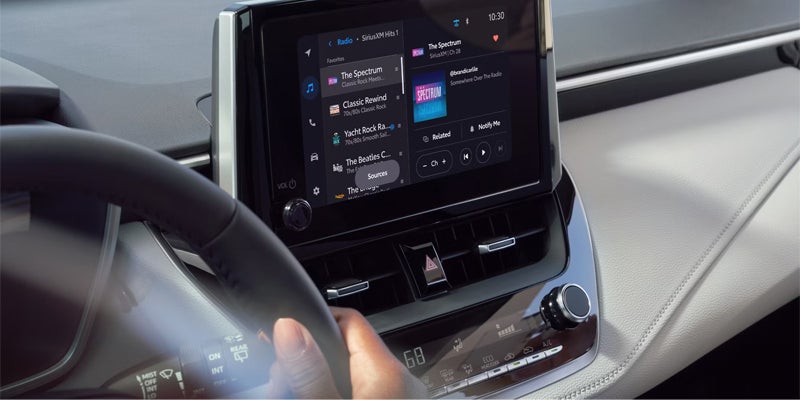
Get the Latest Toyota Entune™ Update:
Our world is saturated with technology, but for Draper drivers who are unsure how to update and maintain their favorite features, the occasional pop-up or technical bug can be a source of frustration. Luckily, the Toyota Entune™ update process is simple, easy, and quick. Read on to learn how update Toyota Entune™ to get the latest add-ons and fixes:
- Launch the Entune™ app, and then connect to your vehicle using USB or Bluetooth.
- A menu will appear on the screen, asking you to choose between updating “Now” or “Later.”
- Selecting now will take care of all your updates immediately and automatically.
- If you decide to select “Later,” you’ll be prompted to update once more next time you start the vehicle.
Toyota Entune™ Update: Navigation
In models that feature Toyota Entune™, upper-level trims often offer Toyota Entune™ Navigation. With this fully-integrated system, Orem area drivers are able to access local maps, directions, and even suggestions using nothing but their Toyota model’s touchscreen interface. Of course, if you always want to start off on the fastest, most efficient route, you’ll need to know how to update your Toyota Entune™ Navigation system.
If you’ve notice that your map is out of date, or you simply want to update the system ahead of your next road trip, contact the tech experts at your local Orem Toyota dealer. When you come to Orem Toyota, our expert service team can help you update your maps and get you back on the road in just a few short moments.
Toyota Entune™ Update Information and More from Orem Toyota
Here at Orem Toyota our dedicated service team is committed to keeping your Toyota running. Check out our handy service videos to stay up to date on your Toyota maintenance and learn about your Toyota dashboard lights and how to change your Toyota key fob battery. Beyond Toyota Entune™, exclusive technology such as Toyota Safety Sense™ (TSS) keeps Toyota ahead of the competition, so you can enjoy your drives in Orem Toyota and beyond.
Orem Toyota
1400 Sandhill RDOrem, UT 84058 Driving Directions
| Monday | 9:00AM - 8:00PM |
| Tuesday | 9:00AM - 8:00PM |
| Wednesday | 9:00AM - 8:00PM |
| Thursday | 9:00AM - 8:00PM |
| Friday | 9:00AM - 8:00PM |
| Saturday | 9:00AM - 8:00PM |
| Sunday | Closed |
| Monday | 7:00AM - 6:00PM |
| Tuesday | 7:00AM - 6:00PM |
| Wednesday | 7:00AM - 6:00PM |
| Thursday | 7:00AM - 6:00PM |
| Friday | 7:00AM - 6:00PM |
| Saturday | 8:00AM - 3:00PM |
| Sunday | Closed |
| Monday | 7:00AM - 6:00PM |
| Tuesday | 7:00AM - 6:00PM |
| Wednesday | 7:00AM - 6:00PM |
| Thursday | 7:00AM - 6:00PM |
| Friday | 7:00AM - 6:00PM |
| Saturday | 8:00AM - 3:00PM |
| Sunday | Closed |